
It’s crucial to monitor your mobile data. Prevents you from running out of internet without warning. An Etisalat data balance check will enable you to see the amount of data remaining in your plan. There are multiple convenient methods to check your balance for e& UAE (formerly known as Etisalat UAE), whether you’re a prepaid or postpaid customer. Use USSD codes, the My Etisalat UAE app, SMS, or online account tools. The majority are quick to use and only take a couple of seconds. Standard checks of your balance can enable you to control your data and make sure you are always connected.
Quick Facts About Etisalat Data Balance Checks
| Feature | Details |
| Data Balance Code | *170# |
| Prepaid Balance | *121# |
| Postpaid Usage | *140# |
| Mobile App | My e& UAE App |
| Customer Support | 101 |
| Internet Needed for USSD | No |
| Works for Prepaid | Yes |
| Works for Postpaid | Yes |
| Fastest Method | Dial *170# |
What Is an Etisalat Data Balance?
Data balance is the available mobile data that is left under your current package. The allowance is dependent on the subscription; it could be measured in:
- Megabytes (MB)
- Gigabytes (GB)
- Daily data quotas
- Weekly internet bundles
- Monthly data packages
Checking your data balance on a regular basis is a great way to be able to remain connected and avoid the risk of running through your data without even realizing it. It also assists you in monitoring the usage and determining if your present data plan works for you.
Why Checking Your Data Balance Matters
The majority of users only check their balance when they have issues with slow internet speeds or usage alerts. But there are several benefits to ongoing monitoring.
This is because it prevents disconnections from happening at the last minute. Some plans will halt internet access altogether, and others charge extra fees when the package is used up.
Second, balance checks can be used to alert users to heavy data usage. Background apps can use a ton of data without the user realizing it.
Third, monitoring provides improved package management. If you always use up your level, you might want to consider switching to a higher level.
To check the mobile data balance on Etisalat through USSD codes: To check data balance on Etisalat using USSD codes:
Etisalat Data Balance Check Using USSD Codes
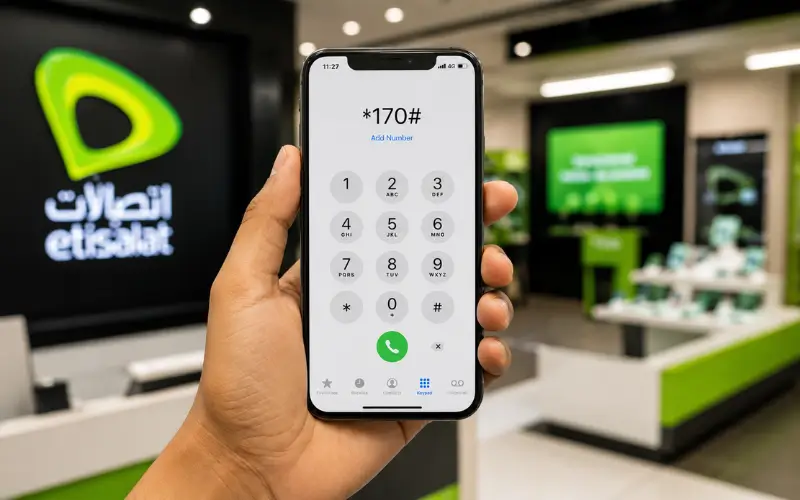
No Wi-Fi or mobile data is required for the USSD services to function. This is especially good when you are in an area without an internet connection.
Check Data Balance with *170#
The information on Internet usage is accessible by customers of Etisalat through *170#. This code is recognized by several UAE telecom resources and customer guides as a method of requesting data balance.
Steps
- Tap the dialer app on your cell phone.
- Dial *170#.
- Press the call button.
- Follow any directions on screen.
- See how much data you have left.
This typically only takes a few seconds.
Benefits of Using USSD Codes
- No internet connection required!
- Compatible with all types of cell phones.Available for all mobile phones.
- Instant results
- Open 7 days a week.
- Easy and free to use
All these benefits have made USDC the method of choice for many users.
How to Check Data Balance Through the My Etisalat UAE App
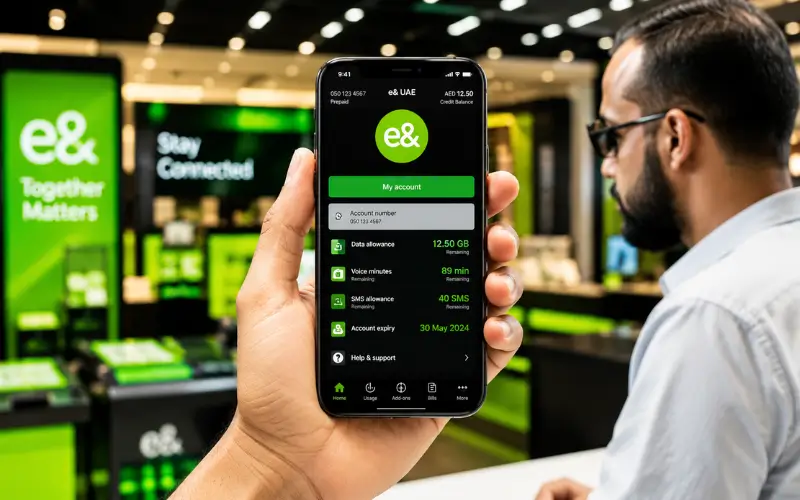
My Etisalat UAE App is the best tool to control your mobile account.
Unlike USSD codes, the application offers a visual dashboard that indicates the current usage, package details, billing information, and account management features.
What You Can View in the App
- Remaining data balance
- Current package details
- Data consumption history
- Active subscriptions
- Remaining minutes
- SMS allowances
- Billing information
- Add-on services
How to Use the App
- Install the My Etisalat UAE App.
- Log in with your cell phone number.
- Fill out OTP verification (if required).
- Open the dashboard.
- View your internet usage and remaining data.
The app is especially beneficial for those who would prefer to see the in-depth analytics instead of just a balance number.
Etisalat Data Balance Check for Prepaid Customers
There are multiple official ways for prepaid customers to determine what data they have remaining and how much money is in their account. Quick access to usage information can be easily done using USSD codes, the My Etisalat UAE App, SMS services, or online tools to manage accounts.
Using *121#
Official e& UAE prepaid support info: *121# is for checking prepaid balance.
Steps
- Start your phone dialer.
- Enter *121#.
- Press Call.
- Hold off for a reply.
The returned information might be:
- Main account balance
- Active package status
- Remaining allowances
- Validity information
Using *170#
Similarly, many prepaid internet users will also look at their data usage via *170#. The service offers information on the usage of data, depending on the package.
Through the Mobile App
The application enables prepaid users to keep track of:
- Daily usage
- Weekly usage
- Monthly consumption
- Package validity
- If applicable, include the data rollover status.
This offers a more comprehensive evaluation than conventional “balance” assessments.
Etisalat Data Balance Check for Postpaid Customers
Also, postpaid customers can keep an eye on internet usage via multiple channels.
Using *140#
Balance and usage enquiries are typically made by Postpaid users using the telephone number 140#. This code is included in several UAE Telecom guides.
Steps
- Open your dialer.
- Dial *140#.
- Press Call.
- Follow any prompts.
- Review your account information.
Using the My Etisalat UAE App
The application comes with extra details for postpaid users, like:
- The amount of the current billing cycle usage.
- Remaining data allowance
- Additional consumption
- Active add-ons
- Estimated billing information
This means the app is the best choice for most of the postpaid customers.
Check Etisalat Data Balance Online
An Etisalat data balance check can be done online via self-service portals, and customers can view their account data on a computer.
Once they log in, users can check:
| Information | Purpose |
| Data Usage | Track internet consumption |
| Remaining Allowance | View available data |
| Billing Information | Review charges |
| Package Details | Manage subscriptions |
| Add-ons | Purchase or cancel services |
Official support resources attest that customers can get information about their accounts and their bills using online support tools.
Can You Check Etisalat Data Balance Through SMS?
Some packages also allow users to check data usage through SMS services.
Depending on the package and availability of the service, some Etisalat guides suggest that customers can send DATA to 1010 to obtain data usage details.
SMS services are sometimes subject to change. To check the current availability, customers should confirm via official e& UAE support channels.
When SMS Checks Are Useful
- Wired Internet is not available.
- Basic cell phone users
- Quick account inquiries
- Travel situations
- You have temporary problems accessing apps. You’re having trouble with apps.
SMS checks are still effective as a backup.
How to Check Data Balance While Roaming
Users frequently require data usage while traveling outside the UAE.
The following are some of the available techniques:
- My Etisalat UAE App
- Online account portal
- Customer support services
- Certain USSD functions
The best way to go is usually the app, as roaming networks may not have all the codes.
It is recommended to check roaming and account access before travel.
Understanding How Mobile Data Is Consumed
A lot of customers are unaware of how fast the data on their mobile devices can be used.
Today’s smartphones generate information constantly with online services. Cloud sync, automatic updates, and social media refreshes are prime examples of activities that can use a lot of data.
Typical Data Usage Patterns
| Activity | Approximate Consumption Level |
| Web Browsing | Low |
| Messaging Apps | Low |
| Social Media | Moderate |
| Music Streaming | Moderate |
| Video Calls | High |
| HD Video Streaming | High |
| Software Updates | Very High |
Consumption will vary based on device settings, content quality, and user behavior.
Common Reasons Data Balances Appear Incorrect
Sometimes, users see discrepancies between the balances they expect and the balances that are displayed.
This can be due to several reasons.
Background Application Activity
Apps can access data even if they are not currently running.
Examples include:
- Cloud backups
- Email synchronization
- Social media updates
- App refresh services
Delayed Network Updates
This may take extra time to get the information in account systems.
Roaming Usage Delays
The figures may not be as up-to-date as those used domestically.
Recent Package Activations
Balance systems may take time for newly activated plans to show up. For any discrepancies, it is recommended to contact customer support.
Best Way to Check Your Etisalat Data Balance
Depending on your data needs and preferences, there are multiple ways to check the data balance. Some of them are even swifter, and others offer more detail on the account insights.
For the Fastest Result
For a quick data balance check, use *170#. The code is used directly from the mobile network; no internet connection is needed! Just enter the code and follow the instructions to display your remaining data in a matter of seconds.
For Detailed Usage Tracking
If you wish to know more, use the My Etisalat UAE App. The app displays what data you have left, how you have used it, what packages you are using, and your account information. The most desirable choice for periodic Internet usage tracking.
For Account Management
If you’d prefer to deal with your account online, you can use the online self-service portal. It lets you monitor data usage, view your bill, manage your subscriptions, and get other account information, all in one place.
Tips to Reduce Mobile Data Consumption
Practicing efficient use of the Internet can help prolong the life of the package and lower expenses.
- Participate in familiar WIFI networks when possible.
- Reduce the frame rate of video streaming.
- Turn off auto-updates for apps via cell data.
- Limit internet background usage.
- Allow data usage alerts.
- Regularly check the app for consumption.
- Check applications that are used a lot regularly.
Saving can be done with simple changes that make a big difference in the monthly bill.
Conclusion
e& UAE provides various simple methods to monitor your internet data and prevent any service interruptions: USSD codes, SMS services, My Etisalat UAE App, and online account management tools are all straightforward options. When you have a quick update, 170# is typically the fastest. If you need detailed information about usage, package management, or billing, the My Etisalat UAE App is a better option. Keeping tabs on your data balance can help you keep track of your usage, prevent unnecessary charges, and ensure you always have access to mobile data when you need it.
Must Read: Al Rostamani Balance Check by SMS, App, and ATM – Fastest Methods Explained
Ratibi FAB Balance Check – Online, ATM & SMS Methods Guide
Abu Dhabi Bus Card Balance Check – Easy Methods & Quick Guide
Frequently Asked Questions
How can I perform an Etisalat data balance check?
Remaining data can be checked with *170#, My Etisalat UAE App, SMS, or through the online account portal.
What is the fastest way to check my Etisalat data balance?
Call 170# from your cell phone. Your balance should be shown in your remaining data in a few seconds.
Can I check my data balance without internet?
Yes, some USSD codes like *170# and *121# do not require the Internet.
Which app is used for Etisalat data balance check?
The My Etisalat UAE App enables you to see how much data you have left, your usage history, and current subscriptions.
Can prepaid users check their remaining data?
Yes, they’ve provided options for prepaid customers to check their data balance: 121#, 170#, the mobile app, or online account services.
How do postpaid customers check data usage?
Users of the postpaid service can view their usage via the *140# menu, the My Etisalat UAE App, and the online self-service portal.
Why is my Etisalat data balance check showing incorrect information?
This can occur if network updates have not been installed, apps are running in the background, roaming is being used, or new data packages have been activated.